
01
Microsoft 365 Fundamentals
Explore the Microsoft 365 ecosystem for workplace productivity, communication, collaboration, content creation, information management, cloud services, meetings, and team coordination.
Course Overview
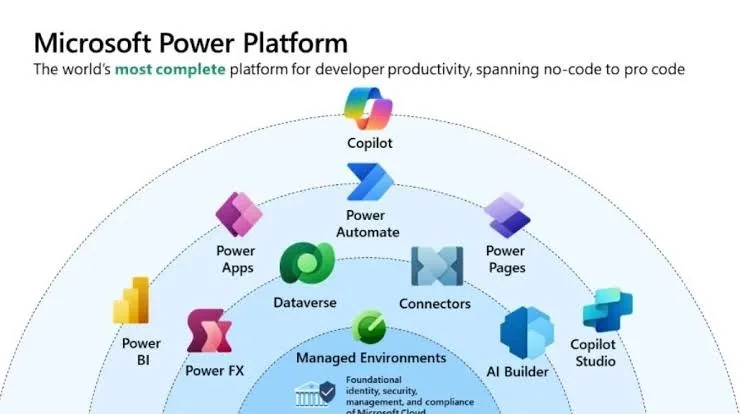
This four-month professional training program introduces learners to Microsoft's modern business technology ecosystem and develops practical capabilities in Microsoft 365, SharePoint Online, Data Migration, Power Platform, and Copilot AI.
The program combines foundational knowledge, technical skills, practical exercises, and an integrated capstone project to help learners develop the confidence to design and implement digital business solutions.
Program at a Glance
Your week
Six areas
Explore the Microsoft 365 ecosystem for workplace productivity, communication, collaboration, content creation, information management, cloud services, meetings, and team coordination.
Create and manage collaborative workspaces, organize documents and information, manage lists and permissions, and migrate content from legacy systems and existing environments to modern SharePoint Online using third-party tools such as ShareGate.
Build custom business applications and digital forms to collect information, manage data, streamline operations, and address organizational needs using low-code technology.
Automate repetitive tasks, approval processes, notifications, and business workflows to reduce manual work, connect applications, and improve operational efficiency.
Transform data into meaningful insights through data preparation, analysis, interactive reports, and dashboards that support performance monitoring and informed decision-making.
Utilize AI for your solution development, improve productivity through effective prompting, generate and summarize content, analyze information, and build efficient AI-powered chatbots to support users and business processes.
Month by month
Get comfortable in Microsoft 365, then build and organise SharePoint sites, libraries and lists.
Turn SharePoint data into business apps and automate approvals and notifications.
Analyse and visualise data in Power BI and use Copilot to work faster and report better.
Migrate content from legacy systems to SharePoint Online with tools such as ShareGate, learn administration and governance essentials, and complete your integrated capstone project.
Capstone project
Your learning comes together in a guided capstone project, developed through practical exercises and group discussions.
Before you start
The program is designed for people starting from the basics.
Your instructor
Shiferaw has taught and given one-to-one support to learners in the Washington DC area for three years, and is now completing a batch in his fourth year of teaching.
Learners know him for respectful, individual support to every student, and for helping each one toward a career path. Beza also supports learners as teaching assistant.